


 Designing for AR Glasses: Key UX Principles for the Future of Augmented Reality
Designing for AR Glasses: Key UX Principles for the Future of Augmented Reality
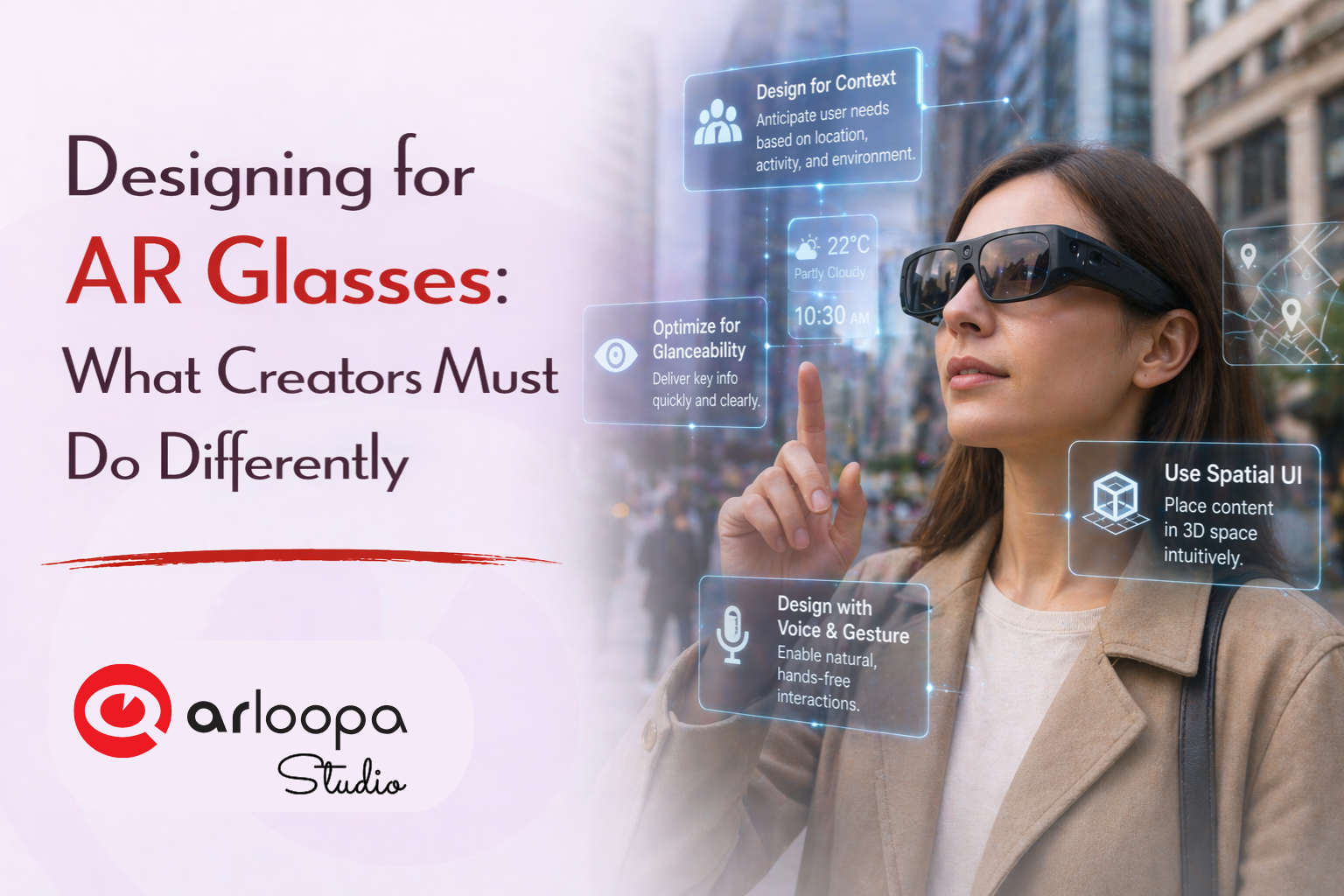
Designing for augmented reality is entering a completely new phase. While mobile AR introduced us to interactive filters and on-screen experiences, AR glasses are redefining the rules entirely.
There’s no frame. No screen. No clear “start” or “end” to the experience.
For creators, this means one thing: you’re no longer designing for a device - you’re designing for reality itself.
In this guide, we’ll break down what must change when designing for AR glasses and how you can start adapting your approach using ARLOOPA Studio.
1. Design for the Real World, Not the Screen
With smartphones, AR lives inside a rectangular display. With AR glasses, content exists directly in the user’s environment.
That changes everything.
What this means:
- Your design must respect physical space
- Objects should feel anchored and stable
- Scale and distance must be realistic
Instead of designing layouts, you’re designing placements in space.
With ARLOOPA Studio:
You can already place and test 3D objects on real-world surfaces, helping you think beyond flat interfaces.
2. Embrace Minimalism: Less Is Critical
In AR glasses, too much information isn’t just bad design - it’s overwhelming and unsafe.
Users still need to see the real world clearly.
Design rules:
- Limit the number of elements on screen
- Use subtle colors and transparency
- Avoid large blocking panels
- Prioritize essential information only
The best AR designs feel like they’re barely there - but always helpful.
3. Rethink Interaction: Beyond Touch
There are no touchscreens in AR glasses. Interaction shifts to more natural inputs:
- Gaze (looking at an object)
- Gestures (hand movements)
- Voice commands
This means your design must be intuitive without instructions.
Best practices:
- Make interactive elements visually distinct
- Provide instant feedback (highlight, animation)
- Keep interactions simple and predictable
With ARLOOPA Studio:
You can simulate interaction triggers and animations that respond to user actions, helping you prototype these behaviors.
4. Design for Micro-Experiences
AR glasses are not meant for long sessions. Instead, users engage in quick, contextual interactions.
Think:
- A quick glance at navigation
- A short animation tied to an object
- A brief informational overlay
Design shift:
From → long, immersive sessions
To → fast, lightweight moments
Your content should deliver value in seconds, not minutes.
5. Context Is Everything
AR glasses are deeply aware of the user’s environment. That means your design should adapt to:
- Location
- Time
- User activity
- Surroundings
Examples:
- Showing restaurant info only when near a location
- Displaying historical facts at landmarks
- Triggering content when entering a space
With ARLOOPA Studio:
You can create location-based AR experiences that respond to real-world context - a key skill for the future.
6. Prioritize Comfort and Safety
Designing for AR glasses comes with responsibility.
Poor design can:
- Distract users
- Block important real-world visuals
- Cause fatigue or discomfort
Key principles:
- Keep content at comfortable viewing distances
- Avoid rapid or aggressive animations
- Don’t overload the user’s field of vision
Good AR design respects the fact that users are still in the real world.
7. Think Persistent, Not Temporary
Unlike mobile AR, experiences in AR glasses can be always available and persistent.
This opens new possibilities:
- Virtual objects that stay in place over time
- Personalized AR environments
- Long-term interactions with digital content
Designing for persistence means thinking about:
- Consistency
- Reusability
- Long-term value
8. Blend Digital with Physical Seamlessly
The ultimate goal of AR glasses is seamless integration.
Your content should:
- Match lighting and perspective
- Respect real-world physics
- Feel like part of the environment
The more natural it feels, the more powerful the experience becomes.
How ARLOOPA Studio Helps You Adapt
You don’t need AR glasses today to start designing for them.
With ARLOOPA Studio, you can:
- Build spatial, environment-aware AR experiences
- Test object placement and scaling
- Create lightweight, optimized content
- Experiment with interaction and animation
It’s the perfect sandbox for preparing for the next generation of AR.
Designing for AR glasses is not just an evolution - it’s a complete rethink of how digital content is created and experienced.
The shift is clear:
- From screens → to space
- From apps → to environments
- From interaction → to presence
Creators who embrace these changes early will define the future of AR.
And with ARLOOPA Studio, you can start designing for that future today.


See more articles



Solutions