
 The Complete Guide to Image Tracking, Surface Tracking, and Face Tracking in Augmented Reality
The Complete Guide to Image Tracking, Surface Tracking, and Face Tracking in Augmented Reality
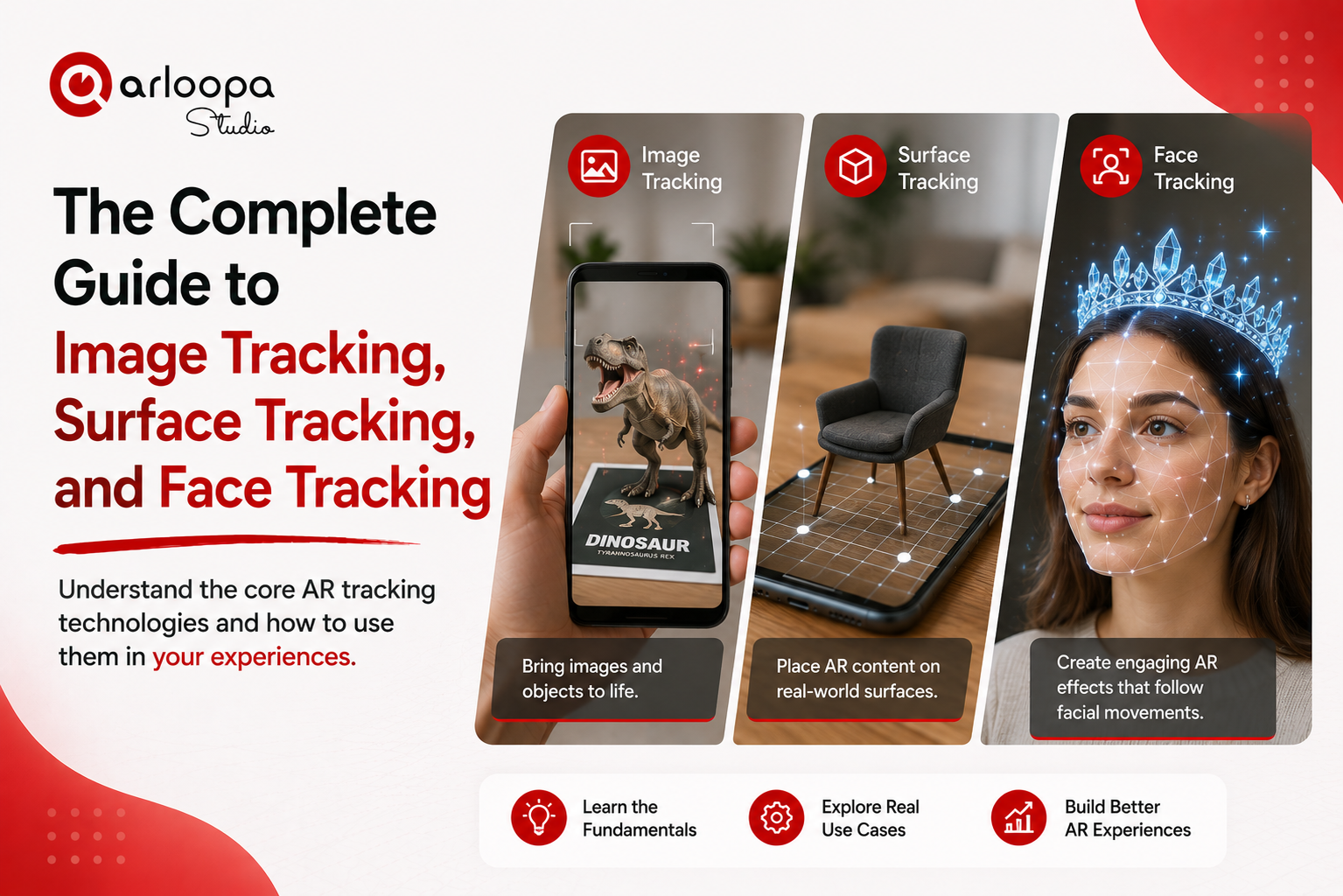
One of the first decisions you'll make when creating an augmented reality (AR) experience is choosing the right tracking method. The tracking technology you select determines how and where digital content appears in the real world.
Should your AR experience appear when someone scans a product package? Should it be placed on a table or floor? Or should it follow a person's face like an interactive filter?
These are all different use cases - and each requires a different type of tracking.
In this guide, we'll explain the three most widely used AR tracking methods: Image Tracking, Surface Tracking, and Face Tracking. You'll learn how they work, when to use them, and how to create engaging experiences with each using ARLOOPA Studio.
What Is AR Tracking?
AR tracking is the technology that allows a device to understand its surroundings and accurately position digital content in the real world.
Without tracking, a virtual object wouldn't know where to appear or how to remain stable as the user moves.
Different tracking methods are designed for different scenarios, which is why choosing the right one is essential for creating a smooth and engaging user experience.
Image Tracking
Image Tracking detects and recognizes a specific printed or digital image using a device's camera. Once the image is recognized, digital content is anchored directly to it.
The image acts as a trigger for the AR experience.
Examples of image markers include:
- Product packaging
- Book covers
- Posters
- Flyers
- Brochures
- Business cards
- Magazine pages
- Artwork
- Museum exhibits
- Restaurant menus
When users scan the image, videos, animations, 3D models, or interactive buttons appear instantly.
Best Use Cases
Image Tracking is ideal for:
Product Packaging
Bring packaging to life with:
- Product demonstrations
- Recipes
- Brand storytelling
- Promotional campaigns
- Interactive manuals
Museums and Art Galleries
Visitors can scan artworks or exhibit labels to access:
- Artist biographies
- Historical information
- Audio guides
- 3D reconstructions
- Animated storytelling
Education
Teachers can transform:
- Textbooks
- Flashcards
- Worksheets
- Classroom posters
into interactive learning materials featuring videos, quizzes, and 3D educational models.
Marketing
Printed advertising becomes interactive.
Customers can scan:
- Posters
- Flyers
- Catalogs
- Business cards
to unlock immersive digital experiences.
Surface Tracking
Surface Tracking detects flat horizontal or vertical surfaces - such as floors, tables, walls, or desks - and allows users to place virtual objects directly into their environment.
Unlike Image Tracking, Surface Tracking doesn't require a printed marker.
Instead, the device analyzes the physical environment using its camera and sensors.
Best Use Cases
Product Visualization
Customers can preview:
- Furniture
- Home décor
- Electronics
- Appliances
- Artwork
inside their own space before purchasing.
Architecture and Real Estate
Developers and designers can present:
- Building models
- Interior layouts
- Landscape concepts
- Renovation ideas
at true scale.
Education
Students can interact with:
- Human anatomy
- Planets
- Engineering models
- Scientific experiments
directly on classroom desks.
Trade Shows and Events
Companies can display:
- Product prototypes
- Interactive demonstrations
- Large machinery
- Vehicles
without transporting physical items.
Advantages
- No printed markers required.
- Natural placement of objects.
- Excellent for visualization.
- Highly immersive.
- Ideal for product demonstrations.
Face Tracking
Face Tracking detects facial features in real time and anchors digital content to a person's face.
As users move, smile, or turn their heads, the AR content follows naturally.
This technology powers many popular social media filters and virtual try-on experiences.
Best Use Cases
Beauty
Customers can virtually try:
- Lipstick
- Eyeshadow
- Foundation
- Hairstyles
before purchasing.
Fashion
Virtual try-ons include:
- Sunglasses
- Hats
- Jewelry
- Helmets
- Accessories
Entertainment
Create:
- Character masks
- Animated avatars
- Holiday filters
- Interactive games
Marketing Campaigns
Brands can create shareable AR filters that encourage user-generated content and increase social media engagement.
Image Tracking vs Surface Tracking vs Face Tracking
| Feature | Image Tracking | Surface Tracking | Face Tracking |
|---|---|---|---|
| Requires a marker | ✅ Yes | ❌ No | ❌ No |
| Uses real-world surfaces | ❌ | ✅ | ❌ |
| Tracks human faces | ❌ | ❌ | ✅ |
| Best for printed materials | ✅ | ❌ | ❌ |
| Product visualization | Limited | ✅ Excellent | Limited |
| Virtual try-ons | ❌ | ❌ | ✅ |
| Educational content | ✅ | ✅ | Limited |
| Marketing campaigns | ✅ | ✅ | ✅ |
Which Tracking Method Should You Choose?
The right tracking method depends on your project goals.
Choose Image Tracking if you want users to scan a specific object or printed material to launch an AR experience.
Choose Surface Tracking if you want users to place digital content naturally into their surroundings without needing a marker.
Choose Face Tracking if your experience involves personalization, virtual try-ons, or interactive face effects.
Many successful AR projects combine multiple tracking methods to create richer experiences.
For example, a retail campaign could use:
- Image Tracking for interactive product packaging.
- Surface Tracking for placing products inside a customer's home.
- Face Tracking for virtual try-ons.
Together, they provide a complete customer journey.
Creating AR Experiences with ARLOOPA Studio
With ARLOOPA Studio, you can create professional AR experiences using all three tracking technologies—without writing code.
The platform enables you to:
Image Tracking
- Animate brochures and posters.
- Create interactive product packaging.
- Enhance textbooks and educational materials.
- Bring museum exhibits to life.
Surface Tracking
- Visualize products in real spaces.
- Create interior design experiences.
- Build educational simulations.
- Showcase architecture and construction projects.
Face Tracking
- Design virtual try-ons.
- Create branded filters.
- Develop interactive entertainment.
- Build personalized marketing experiences.
In addition, ARLOOPA Studio supports:
- Geospatial AR for location-based experiences.
- WebAR for browser-based AR without requiring an app.
- AI-powered 3D model generation to accelerate content creation.
- Interactive buttons, videos, audio, animations, PDFs, forms, and rich multimedia.
Whether you're an educator, marketer, museum, retailer, or enterprise, ARLOOPA Studio provides all the tools needed to build immersive AR experiences from a single no-code platform.


See more articles



Solutions